7 Best Laptops for BCA Students in India (2026 Picks)
Are you starting your BCA journey and feeling overwhelmed by tech specs? You aren’t just buying a machine to watch Netflix; you are choosing a tool that needs to compile thousands of lines of code, run heavy databases, and simulate mobile apps.
Finding the best laptop for bca students in the 2026 Indian market isn’t about chasing the highest price tag. It’s about finding a “coding partner” that won’t freeze during your 3rd-semester Java lab or your final-year Android project.
In this guide, we break down the top picks that balance performance, portability, and student-friendly pricing.
Quick Recommendation: Best Laptops for BCA Students
| Student Profile | Top Recommendation | Key Reason |
|---|---|---|
| The Budget Starter | ASUS Vivobook 15 | Cheapest laptop with 16GB RAM and a 13th Gen CPU. |
| The Balanced Coder | Lenovo IdeaPad Slim 3 | High-performance H-Series i5 chip for smooth Java labs. |
| The App Developer | HP Victus 15 | Dedicated RTX 3050 GPU for lag-free Android Emulators. |
| The All-Day Traveler | HP 15 (Core Ultra 5) | 8-hour battery and massive 1TB SSD for 3 years of storage. |
| The Reliability Seeker | Dell Inspiron 15 | Best On-site Service network and a smooth 120Hz display. |
| The Speed Junkie | Acer Aspire Lite | Fastest LPDDR5 RAM and sleek metal finish in this budget. |
| The Pro Developer | MacBook Air (M4) | Industry standard for iOS dev and unrivaled 18-hour battery. |
Your 3-Year BCA Journey: What You Really Need
In a BCA course, your requirements change every year. You should buy a laptop that grows with your syllabus.
Year 1: Learning the Basics
- Benefits: You need a sharp screen to read code and a comfortable keyboard to type logic without tiring your fingers.
- What you’ll run: VS Code, Turbo C++, and HTML/CSS editors.
- Hardware Goal: Focus on build quality and a good 1080p display.
Year 2: Handling Databases and Java
- Benefits: This is where you start multitasking. Your laptop should open heavy tools like Oracle or MySQL alongside 20 Chrome tabs without lagging.
- What you’ll run: Java JDK, Eclipse, and SQL Workbench.
- Hardware Goal: 16GB RAM is the new gold standard. If your budget is tight, ensure your laptop has an “extra slot” for a future RAM upgrade.
Year 3: The Project Phase (Android & AI)
- Benefits: You need speed. Waiting 10 minutes for an app to “build” is frustrating. Fast storage ensures your laptop boots in seconds.
- What you’ll run: Android Studio, Python (ML libraries), and Docker.
- Hardware Goal: An SSD (Solid State Drive) is mandatory. Do not buy a laptop with a traditional HDD.
5 Features You Cannot Ignore
When looking for the best laptop for bca students, look past the brand name and focus on these practical benefits:
- Anti-Glare Screen: You will spend 6–8 hours daily staring at code. An anti-glare screen prevents eye strain and headaches.
- Backlit Keyboard: Vital for late-night coding sessions in hostel rooms when the main light is off.
- Upgradeability: Ensure the laptop has an extra slot for RAM. It is cheaper to add 8GB later than to buy a high-end laptop now.
- The “Hostel” Battery: Most Indian college classrooms have few power sockets. Look for at least 6–8 hours of actual battery life.
- Service Center Availability: Brands like Dell, HP, and Lenovo have service centers in almost every Indian city. This is crucial if your laptop breaks during exam week.
The “Android Studio” Problem
Many students ask: “Can I use a basic laptop for BCA?” The answer is no. If you plan to do Android development, Android Studio is very heavy. It requires a lot of “memory” (RAM) and “brainpower” (CPU).
- Avoid: Intel Core i3 (11th Gen or older) and 4GB RAM.
- Choose: Intel Core i5 (12th Gen+) or Ryzen 5 with 16GB RAM.
How to Save Money (The Student Discount)
Don’t pay the full MRP. You can save up to ₹7,000–₹10,000 using these methods:
- UNiDAYS: Register with your college email to get exclusive codes for Apple, HP, and Lenovo.
- Official Brand Stores: Dell and Lenovo often give free extended warranties or accidental damage protection to students.
- GST Benefits: If your parents have a business, you can use their GST number to claim an 18% tax refund.
7 Best Laptops for BCA Students: The “Syllabus-Matched” Reviews
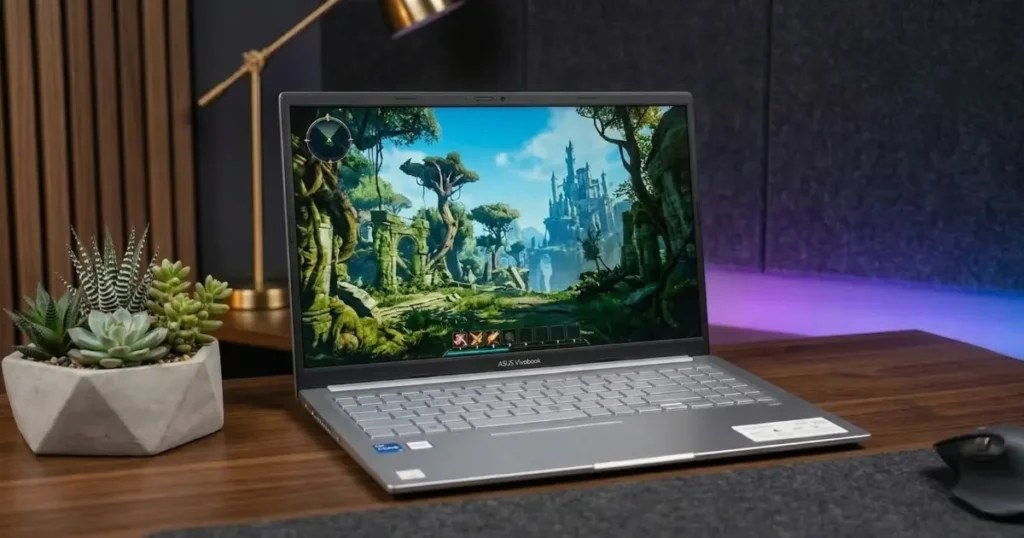
1. The “Budget Hero”: ASUS Vivobook 15 (13th Gen Edition)
link: https://www.amazon.in/ASUS-Vivobook-i3-1315U-Keyboard-X1504VA-NJ2325WS/dp/B0DY7GLQ6B?th=1
Why it’s perfect for Year 1: The X1504VA-NJ2325WS model is a rare find in the budget segment. While most laptops under ₹40,000 use older 12th Gen chips, this one gives you a 13th Gen Intel Core i3-1315U.
For a BCA student, this means faster code compilation and better battery efficiency. Most importantly, it comes with 16GB RAM out-of-the-box, ensuring that you don’t need to spend extra money to upgrade when you start learning Java or Python in your second year.
- BCA Lab Performance: Effortlessly handles Turbo C++, VS Code, and local web servers. The 13th Gen chip ensures your IDE won’t stutter during long debugging sessions.
- The “Student” Feel: It features a Backlit Keyboard, which is a lifesaver for late-night hostel assignments. It also has a physical Webcam Privacy Shutter for security during online exams.
- ⚙️ Tech Specs: Intel Core i3-1315U (13th Gen), 16GB DDR4 RAM, 512GB NVMe SSD, 15.6″ FHD Anti-Glare, Windows 11 + MS Office 2024.
Pros:
- Latest 13th Gen i3 processor (6 Cores/8 Threads).
- 16GB RAM included (No upgrade needed for 3 years).
- Backlit Keyboard for night-time coding.
- US MIL-STD 810H Military-grade durability.
Cons:
- Integrated Intel UHD graphics (not for heavy 3D gaming).
- Standard 60Hz screen (fine for coding, but not for high-end video editing).
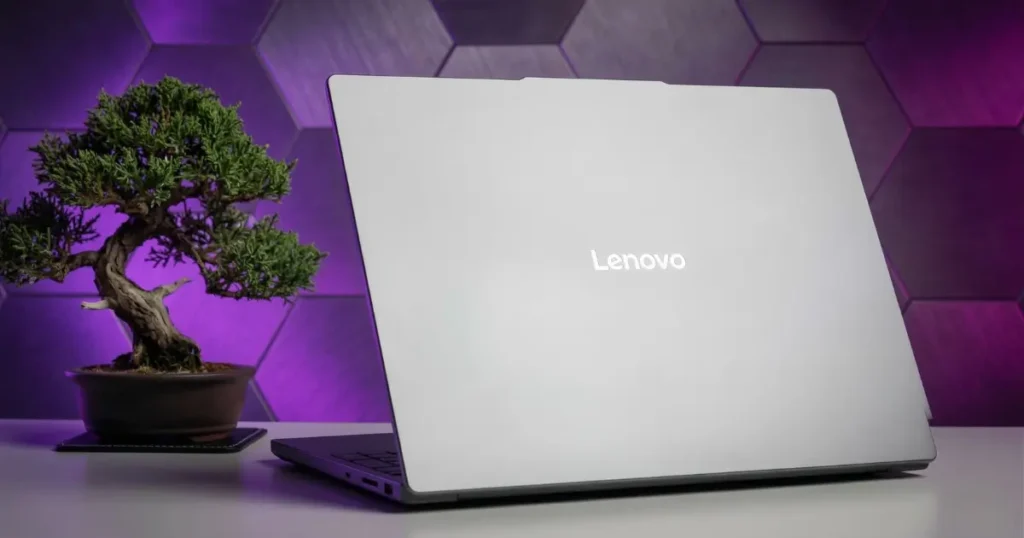
2. The “Syllabus Master”: Lenovo IdeaPad Slim 3 (i5 Edition)
Link: https://www.amazon.in/Lenovo-IdeaPad-i5-12450H-Anti-glare-83ER00MDIN/dp/B0FH71SN5N
Why it’s the “Sweet Spot” for Year 2: As you move into Semester 3 and 4, you’ll start running Java (JDK) and Databases (Oracle/MySQL). These programs stay active in the background and require a lot of processing power.
The Intel Core i5-12450H in this model is designed for high performance, not just battery saving. It handles multi-threaded tasks (like running a server and a code editor at once) much better than budget processors, ensuring your system doesn’t lag during a lab exam.
- BCA Lab Performance: Effortlessly handles the “Heavy Lift” phase of BCA; smoothly running Java, Python, and SQL Workbench simultaneously.
- The “Student” Feel: It’s engineered with Military-Grade durability, meaning it can survive the bumps and drops of daily college life. It also has a physical Privacy Shutter on the webcam for security during online proctored exams.
- ⚙️ Tech Specs: Intel Core i5-12450H (12th Gen), 16GB LPDDR5 RAM, 512GB NVMe SSD, 15.6″ FHD IPS Display (300 nits), Backlit Keyboard, 1.62kg.
Pros:
- Powerful H-Series Processor for fast code compilation.
- 16GB LPDDR5 RAM (Faster and more efficient than standard DDR4).
- IPS Display with 300 nits (Better viewing angles than basic TN panels).
- Rapid Charge (2 hours of use with just 15 mins of charging).
Cons:
- Battery life is average (approx. 5-6 hours) due to the powerful processor.
- Integrated graphics only (not suitable for heavy 3D gaming).
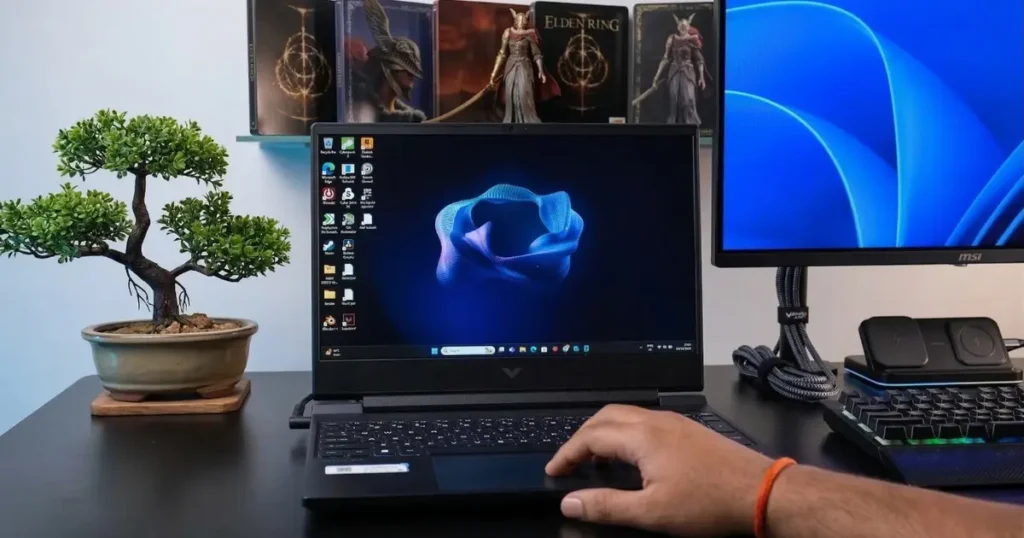
3. The “Android Studio” King: HP Victus 15 (Ryzen 7- 6GB RTX 3050)
Link: https://www.amazon.in/HP-Smartchoice-Upgrade-Office24-fb3009AX/dp/B0FDKPXD95?th=1
Why it’s mandatory for Year 3 Projects: Mobile App Development is the “Final Boss” of the BCA syllabus. If you try to run an Android Emulator on a standard laptop, it will lag or freeze.
The Victus is a “Performance Beast” because it pairs a high-end Ryzen 7 processor with a Dedicated RTX 3050 (6GB) GPU. This GPU handles the heavy graphics of the emulator, while the 6-core Ryzen chip compiles your code 30% faster than budget laptops.
- BCA Lab Performance: The absolute best choice for Android Studio, Machine Learning (running Python libraries), and even high-end video editing for college fests.
- The “Student” Feel: It features a robust cooling system with large rear vents. This ensures the laptop stays cool during a 4-hour coding marathon or a weekend gaming session with friends.
- Tech Specs: AMD Ryzen 7 7445HS (AI-Enabled), 16GB DDR5 RAM, 512GB SSD, NVIDIA RTX 3050 (6GB VRAM), 144Hz FHD IPS Display, Backlit Keyboard.
Pros:
- Dedicated 6GB GPU (Higher VRAM than most budget gaming laptops).
- Latest DDR5 RAM for lightning-fast multitasking.
- Ryzen AI built-in (Future-proof for AI/ML subjects).
- Excellent thermal management (no overheating).
Cons:
- Heavier to carry (around 2.3kg) compared to thin-and-light models.
- Short battery life (3-4 hours); you’ll need to carry the charger to labs.
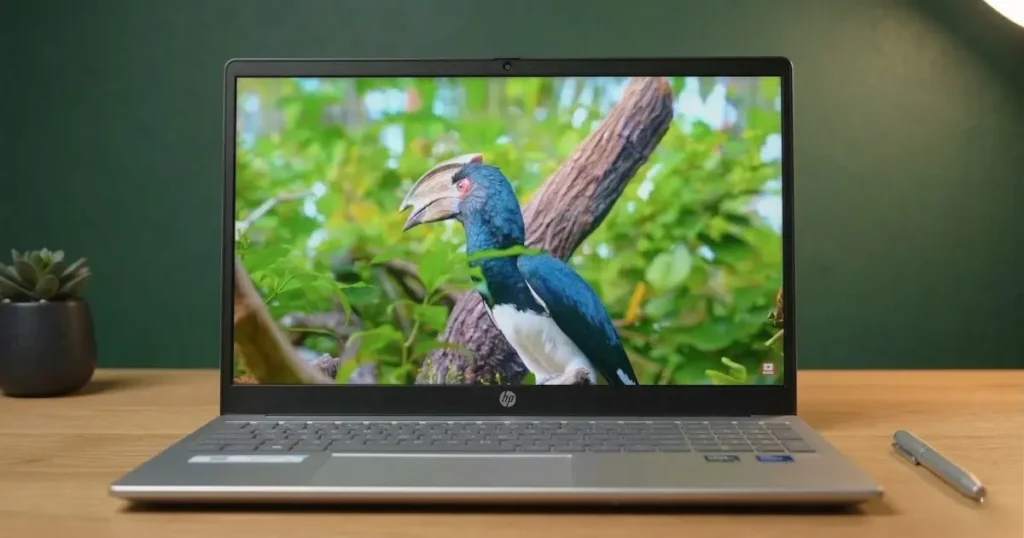
4. The “Hostel-to-Class” Champion: HP Laptop 15-fd1354TU (Core Ultra 5)
link: https://www.amazon.in/HP-Office24-fd1354TU-Graphics-Shutter/dp/B0F5B1N9SJ/
Why it’s the best for long college days: If your college doesn’t have charging points in every seat, you need a laptop that doesn’t die by lunchtime.
The Intel Core Ultra 5 125H is a revolutionary “AI-First” chip designed for efficiency. It gives you nearly double the battery life of a gaming laptop while still being powerful enough for 90% of your BCA syllabus. Plus, it’s 700g lighter than a gaming laptop—your shoulders will thank you during the daily commute.
- BCA Lab Performance: The Intel Arc Graphics inside are surprisingly strong; they can handle Android Studio and Web Development smoothly without the bulk of a heavy GPU.
- The “Student” Feel: It comes with a massive 1TB SSD. In BCA, your project files, recorded lectures, and software setups (like Oracle and Android Studio) take up huge space. You won’t need an external hard drive for all 3 years.
- ⚙️ Tech Specs: Intel Core Ultra 5 125H (14 Cores), 16GB DDR5 RAM, 1TB NVMe SSD, Intel Arc Graphics, 15.6″ FHD IPS Display (300 nits), 1.65kg.
Pros:
- Best-in-class Battery: Lasts a full day of lectures (6-8 hours).
- Huge Storage: 1TB SSD means you never worry about space.
- Portable: Very thin and light (1.65kg) for daily carrying.
Cons:
- No dedicated GPU (not for heavy gaming).
- More expensive than basic i5 models because of the new AI chip.
💡 Note on Power vs. Portability: > At this price range (₹60,000 – ₹65,000), you can also find “Gaming Laptops” with dedicated graphics cards (like an RTX 3050). Those are more powerful for heavy 3D work but are much heavier and have poor battery life (3-4 hours). If you prioritize carrying your laptop to college every day and staying unplugged, this HP 15 is the smarter choice. If you only care about raw power for gaming and don’t mind carrying a charger, look at the HP Victus mentioned earlier.
5. The “Pure Speed” Pick: Acer Aspire Lite (12th Gen i5 Edition)
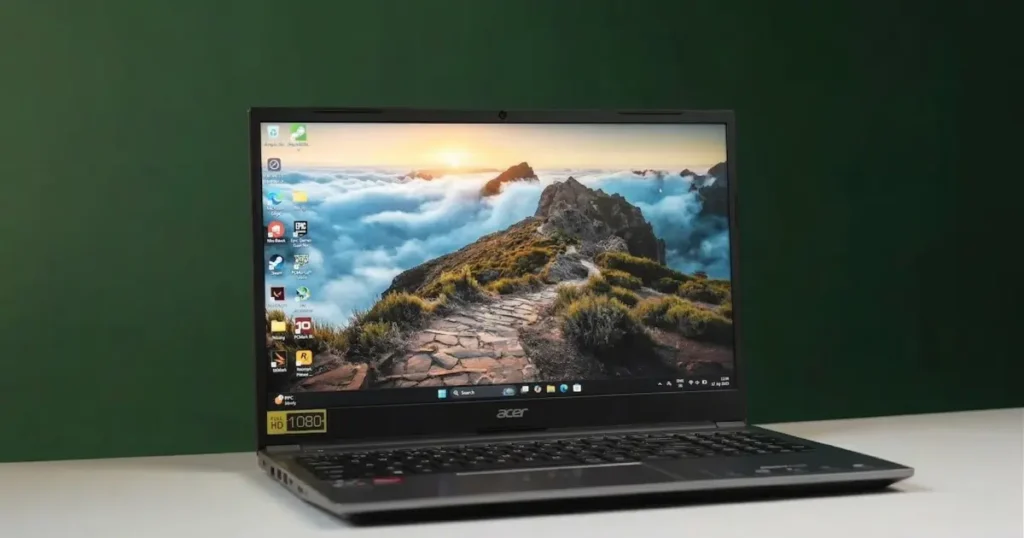
Why it’s perfect for Full-Stack Learning: If you want a laptop that feels fast from day one, the AL15-52H is a hidden gem. It uses the Intel Core i5-12450H processor. The “H” stands for High-performance, meaning this chip is significantly faster at compiling code than the “U” series chips found in many thin laptops.
It also uses LPDDR5 RAM, which is the 2026 standard for speed, helping you load heavy IDEs like IntelliJ IDEA or VS Code in seconds.
- BCA Lab Performance: Excellent for running local servers (Node.js/Django) and database management tools. The high-speed RAM ensures that switching between your browser and your terminal is instant.
- The “Student” Feel: It features a premium metal-finish lid and a very slim profile, making it look much more expensive than it actually is. It also includes a Backlit Keyboard, which is essential for those late-night coding assignments in the hostel.
- ⚙️ Tech Specs: Intel Core i5-12450H (8 Cores), 16GB LPDDR5 RAM, 512GB NVMe SSD, 15.6″ FHD IPS Display, Backlit Keyboard, 1.7kg.
Pros:
- High-Performance H-Series CPU for fast code execution.
- LPDDR5 RAM for superior multitasking speed.
- Premium Metal Finish that is durable for daily travel.
- IPS Display for better color and viewing angles during long study hours.
Cons:
- The 90W charger is a bit bulky to carry in a backpack.
- Battery life is average (approx. 4-5 hours) because of the powerful processor.
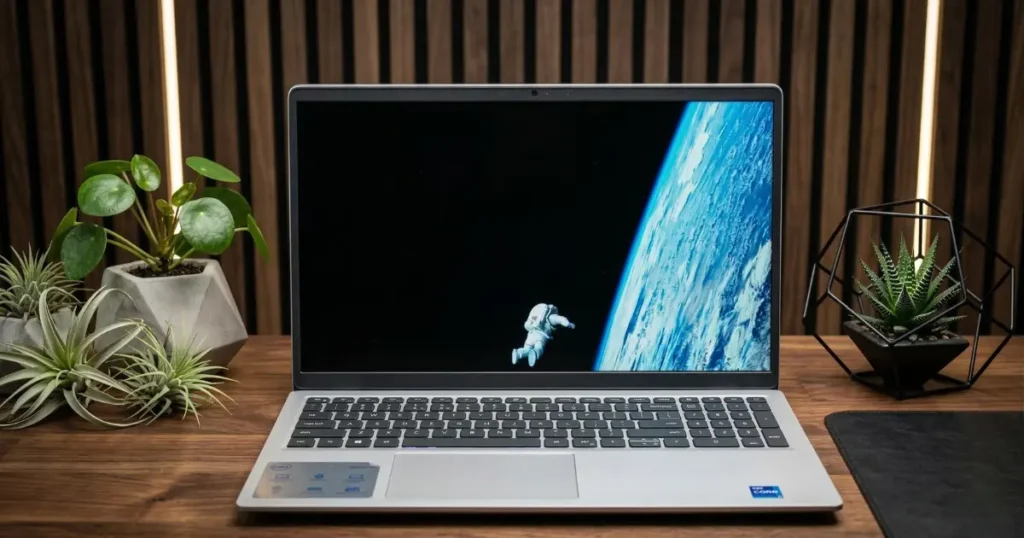
6. The “Peace of Mind” Choice: Dell Inspiron 15 3530 (1TB SSD Edition)
Link: Link: https://www.amazon.in/Dell-Generation-i5-1334U-Processor-Keyboard/dp/B0DSFQZTVW
Why it wins for long-term reliability: For many Indian students, a laptop is a 3-year investment. Dell is the only brand with a truly widespread On-site Warranty network in India. If your hardware fails, a technician comes to your home.
This specific 3530 model is a “Space King” because it offers a 1TB NVMe SSD—plenty for your massive project repos and database files. It also features a 120Hz refresh rate, which makes scrolling through thousands of lines of code feel incredibly smooth.
- BCA Lab Performance: Reliable for daily assignments, Java labs, and running database software. It handles multitasking with 16GB of RAM effortlessly, and the large storage means you’ll never have to delete old projects to make room for new ones.
- The “Student” Feel: It features a “Lift-hinge” design that tilts the keyboard slightly. This creates a natural typing angle, which is a lifesaver during 4-hour-long coding marathons or writing your final year thesis.
- ⚙️ Tech Specs: Intel Core i5-1334U (13th Gen), 16GB RAM, 1TB NVMe SSD, 15.6″ FHD 120Hz Display, Backlit Keyboard, Windows 11 + MS Office 2024.
Pros:
- Massive 1TB SSD storage for all your college years.
- Best-in-class on-site service network across India.
- 120Hz display for a smoother visual experience while coding.
- Ergonomic lift-hinge for comfortable typing.
Cons:
- The body is primarily plastic (though very high-quality).
- Not intended for heavy gaming (Integrated Graphics).
7. The “Premium Developer” Choice: Apple MacBook Air (M4, 2025)
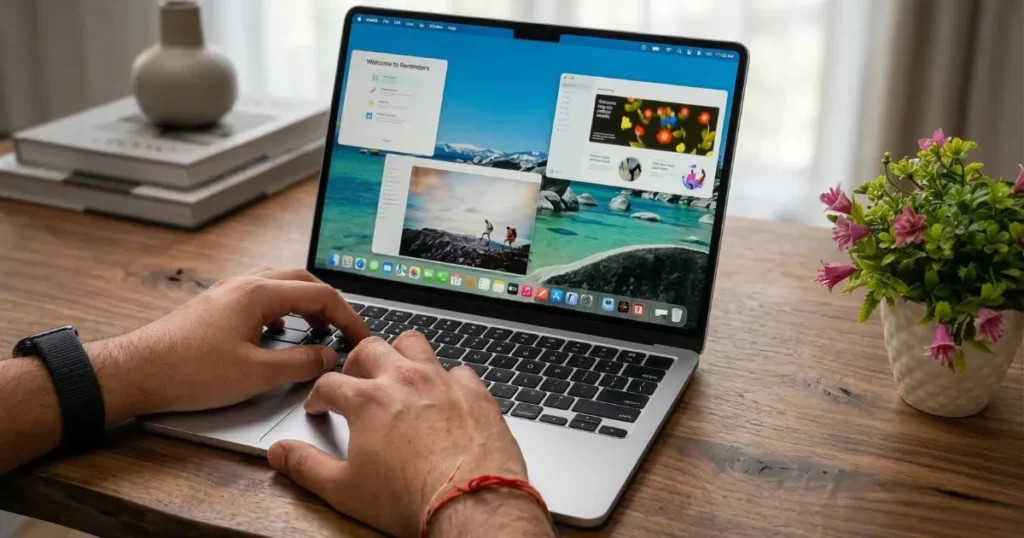
Why it’s the ultimate coding investment: If your budget allows, the MacBook Air is the gold standard for developers. Since macOS is built on UNIX, it is natively compatible with the tools used in Cloud Computing, Python, and Web Servers—all core parts of the BCA syllabus. In 2026, the 16GB RAM version is a must to ensure the laptop remains lag-free for the next 5-6 years.
- BCA Lab Performance: It handles iOS App Development (Swift)—something Windows laptops simply cannot do. The M4 chip’s Neural Engine is also a powerhouse for 3rd-year AI and Machine Learning projects.
- The “Student” Feel: It has the best trackpad in the world and an 18-hour battery. You can attend every lecture and lab session for two days straight without ever needing your charger.
- ⚙️ Tech Specs: Apple M4 Chip (10-core CPU), Up to 10-core GPU, 16GB Unified Memory, 256GB/512GB SSD, Liquid Retina Display.
Pros:
- Silent Performance: No fans mean zero noise during quiet library sessions.
- Unified Ecosystem: Works like magic with your iPhone (Copy on iPhone, Paste on Mac).
- Incredible Display: The 500-nit Liquid Retina screen is the best for long hours of reading code.
- 16GB RAM Standard: No more “base model” lag; it handles Docker and Android Studio out-of-the-box.
Cons:
- Limited Ports: Only 2 USB-C ports; you will definitely need a ₹500–₹1,000 “Type-C Hub” for HDMI/USB-A.
- External Displays: While it supports two, you have to close the laptop lid to use both external monitors.
- SSD Base: The 256GB base storage is fast, but you may need iCloud or an external SSD for large project files by Year 3.
💡 13-inch vs. 15-inch: Which one for BCA?
- **The 13-inch (MW123HN/A):** Best for the student who travels by bus/train daily. It’s incredibly light and fits on tiny classroom desks.
- The 15-inch (MC7C4HN/A): Highly Recommended for Coding. Not only do you get a bigger screen for split-screen coding (tutorial on one side, code on the other), but it also comes with the superior 10-core GPU as standard. This extra graphics power makes running Android Emulators and heavy UI tools much smoother.
The BCA Student Starter Kit: 5 Essential Accessories
Buying the laptop is just the first step. To survive long lab sessions and late-night coding marathons in 2026, these five budget-friendly accessories are game-changers.
1. The “Must-Have” USB-C Hub (For MacBook & Slim Laptops)
Modern laptops like the MacBook Air or the HP Core Ultra are thin because they removed the old USB and HDMI ports. You will need a hub to connect your college projector for presentations or a pendrive to share lab files.
- Top Pick: Portronics Mport 51 or Amazon Basics 7-in-1 Hub.
- Why: These give you HDMI, USB-A, and SD Card slots in one tiny device.
2. Ergonomic Wireless Mouse
Coding on a trackpad for 6 hours is a recipe for wrist pain. A dedicated mouse gives you precision when you are dragging UI elements in Android Studio or navigating complex codebases.
- Top Pick: Logitech B170 (Reliable) or Flipkart SmartBuy Wireless Mouse (Budget).
- Why: They are “Ambidextrous” and have a battery life that lasts nearly a year.
3. Portable Laptop Stand
Most BCA students suffer from “Coder’s Neck” because they look down at their screens for hours. A foldable stand raises your screen to eye level, improving your posture instantly.
- Top Pick: STRIFF Adjustable Laptop Stand or ELV Direct Aluminum Stand.
- Why: They are lightweight, foldable, and fit right into your laptop bag.
4. External SSD (For Project Backups)
Don’t rely solely on your laptop’s storage. If your OS crashes during your final year project, you could lose months of work. A portable SSD allows you to keep a “Live Backup” of your code.
- Top Pick: Crucial X6 500GB or Samsung T7.
- Why: They are 10x faster than old-style hard drives, meaning you can run your code directly from the SSD.
5. Cleaning Kit & Keyboard Skin
College labs and hostels are dusty. A simple cleaning kit keeps your screen clear and your keys from getting stuck.
- Top Pick: Gizga Essentials Laptop Cleaning Kit.
- Why: A clean screen reduces eye strain, and a keyboard skin prevents chai/coffee spills from destroying your motherboard.
The Final Verdict: Best Laptop For BCA Students
Your choice depends entirely on your budget and your final-year goals:
If you are on a strict budget (Under ₹40k): Go for the ASUS Vivobook 15. Its 13th Gen i3 and 16GB RAM make it the most sensible starter pack for any BCA fresher.
If you want the best “All-Rounder” (Under ₹50k): The Lenovo IdeaPad Slim 3 or Acer Aspire Lite are your best bets. The “H-series” processors are significantly faster for compiling code than standard chips.
If you plan to master Android or AI: Don’t compromise. The HP Victus 15 with its dedicated GPU is the only machine on this list that will handle heavy emulators and ML models without breaking a sweat.
If you want a 5-Year Investment: If you can push your budget, the MacBook Air M4 is a developer’s dream. It is the only laptop here that will likely still feel “new” by the time you finish your MCA or land your first job.
In India, most laptops come with Open Box Delivery (OBD). Before you give the OTP to the delivery agent, or within the first hour of unboxing, perform these “Pro-Coder” checks:
- The “Refurbished” Trap: Open Command Prompt (type
cmdin search) and typewmic bios get serialnumber. Check if this number matches the box. Then, visit the brand’s official warranty page (HP, Dell, or Lenovo) and enter that serial number to ensure the warranty hasn’t already started. - Dead Pixel Test: Go to CheckPixels.com and run the test. If you see a tiny black or bright dot that doesn’t change color, it’s a defective screen. Request a replacement immediately.
- Keyboard Marathon: Open a Notepad and press every single key. It sounds boring, but a single dead ‘Enter’ or ‘Shift’ key can ruin your coding experience.
- The Battery Health Check: Open Command Prompt and type
powercfg /batteryreport. Open the generated file to see the “Cycle Count.” For a new laptop, it should be 0 or 1. - Specs Verification: Press
Ctrl + Shift + Escto open Task Manager. Click the “Performance” tab and verify you actually got the 16GB RAM and the specific CPU you paid for.
Final Advice for BCA Freshers
A laptop is just a tool. Whether you buy the budget ASUS or the premium MacBook, the “best” laptop is the one you actually open every day to practice. College labs give you the theory, but your laptop gives you the career.
FAQs on: Best laptop for bca students
1. Is 8GB RAM enough for BCA in 2026?
No. While 8GB works for basic coding, modern software like Android Studio and Chrome (with 10+ tabs) will make it lag. Aim for 16GB RAM to ensure your laptop lasts all 3 years without frustration.
2. Can I use a MacBook for my BCA course?
Yes, mostly. MacBooks are excellent for Python, Java, and Web Dev. However, check with your college if they require Windows-only software (like older versions of Visual Basic). If they do, a Windows laptop is a safer bet.
3. Do I need a dedicated Graphics Card (GPU)?
Only if you plan to do App Development or AI. For standard coding (C, Java, HTML), integrated graphics are fine. But for Android Emulators or Machine Learning, a dedicated GPU (like an RTX 3050) is a lifesaver.
4. Which brand has the best service in India?
Dell, HP, and Lenovo are the top three. For students, Dell’s On-site Warranty is the best because they send a technician directly to your hostel or home, saving you trips to a service center during exams.
5. Should I buy a laptop now or wait?
Buy it now. BCA is a practical course. You need a personal machine to practice lab programs at your own pace. Waiting until your second year will only slow down your learning and logic-building.
